FOR FOUNDERS
Take the next big thing further than you thought you could
Describe your app, watch it get built, publish it to your own domain — real code on native AWS, in your own account, from the first version onward.
Start with a sentence
Describe what you want to build. The AI scaffolds a real application — React, Vue, or vanilla JavaScript — writes the frontend, creates the Lambda functions and API endpoints behind it, and connects them.
The app runs live in your browser while you work, with real builds. What you’re looking at is the product itself.
Then you keep going, the same way you started: say what should change, and watch the change arrive.
Point at what you want
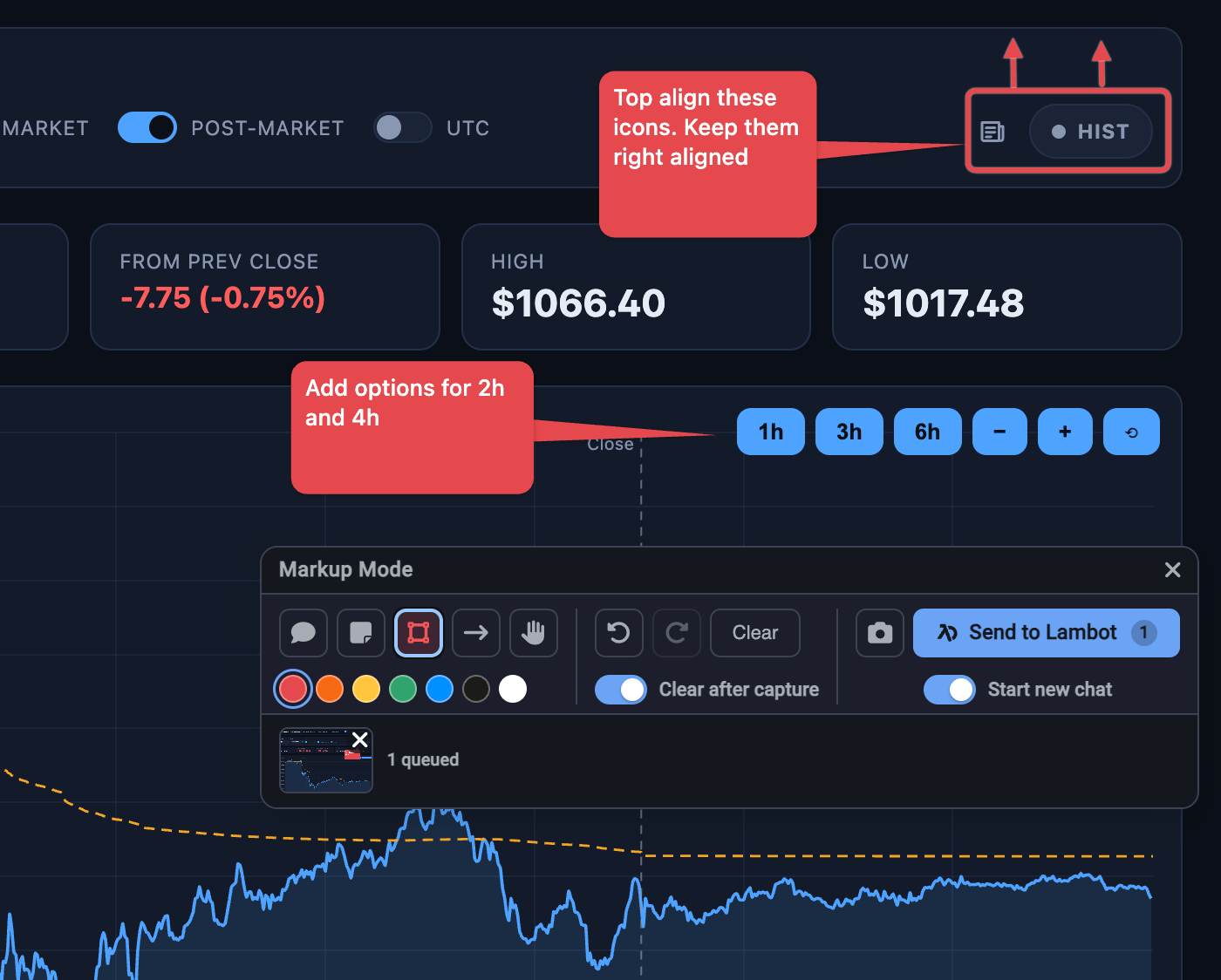
The hardest part of describing a change is describing it in words. Markup mode removes that step — draw arrows, boxes, and notes directly on your running app, then send that marked-up screenshot to the AI.
You already know how to give this kind of feedback. That instinct is the interface.
Ask your data questions in English
Your app’s data lives in real AWS tables, and you can talk to it directly. Type “show me the signups from this week” and the AI writes the actual query, shows you the statement and a plain explanation of what it will do, and runs it.
Explore AI Database ManagementGo live on your own domain
Build and publish to a live URL, on a custom domain, with automatic SSL. When something goes out, the platform tells you — deploys, builds, and runs report their own results, so a long build doesn’t need you watching a screen.
The part that matters in eighteen months
What you build here is the thing itself: native code on native AWS services, running in your own AWS account, in your own GitHub or Bitbucket repository.
That changes two conversations you are going to have.
- The one with your first engineerThey open a real repository on real infrastructure and start working. What you started is what they continue — same code, same repo, same account. Their first week is building, not rebuilding.
- The one with an investor or an acquirerThere is no platform between you and what you own, no runtime to migrate off, and no ceiling you’re going to discover at the worst possible moment. When the product works, the infrastructure under it is already the infrastructure it scales on.
The same product, at every level
The same environment a veteran engineer uses for their five-hundredth function is the one you are using for your first app. Nothing is withheld from you, and nothing you build has to be thrown away when someone more technical arrives.
You will simply reach further before you need help — and what you hand over when you do is real.